Omnibar is a Context-Aware PowerPoint Search Bar
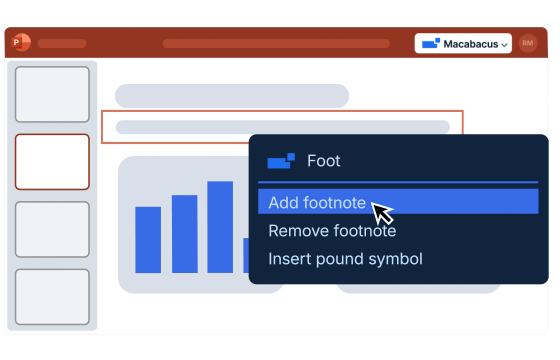
Omnibar is a search bar inside PowerPoint that surfaces the right action at the right moment, contextually based on years of studying how financial analysts build decks.
With a single keyword search, Omnibar can surface over 300 actions across Macabacus and PowerPoint, including powerful tools many users did not even know existed.
Instead of clicking through ribbons and menus, you:
- Select something on the slide
- Open Omnibar with a keyboard shortcut
- Instantly see the most relevant actions
Omnibar removes ribbon knowledge as a prerequisite for speed. You focus on the work, not the UI.
Why Native PowerPoint Search Falls Short
PowerPoint’s built-in search treats every query the same, regardless of what you are working on. It does not understand context, and it cannot surface Macabacus tools.
Omnibar is different. It evaluates what is selected on the slide and prioritizes actions that actually make sense in that moment.
Examples:
- Select text, and font and formatting tools appear
- Select a table, and row and border tools appear
- Select multiple shapes, and align and distribute tools appear
Native PowerPoint only sees half the picture. Omnibar sees context.
Built for How Analysts Actually Build Decks
Omnibar is not guessing. It is built on explicit logic informed by how analysts and associates build, fix, and polish decks under pressure.
Like all Macabacus tools, we designed it based on years of client feedback from analysts, MDs and partners who spend most of their day in the Microsoft Office suite.
The tools that surface are predictable and prioritized based on utility, selection context, and recent usage. It knows that you’re trying to change border width or align tombstones. This rewards muscle memory rather than disrupting workflows with black-box AI suggestions.
Investment Banking Use Cases for Omnibar
Pitch books and teasers
Resize and align tombstones, logos, and transaction comps without hunting through the toolbar. Select the objects, open Omnibar, and the right alignment tools are already there.
Valuation and comps slides
Select a table and instantly access row, column and spacing tools. This is where speed matters most during late-night review cycles.
Turn comments faster
When deadlines are tight and fatigue is high, Omnibar reduces mental load. You think about what needs to change, not where the command lives.
Private Equity Use Cases for Omnibar
Investment committee presentations
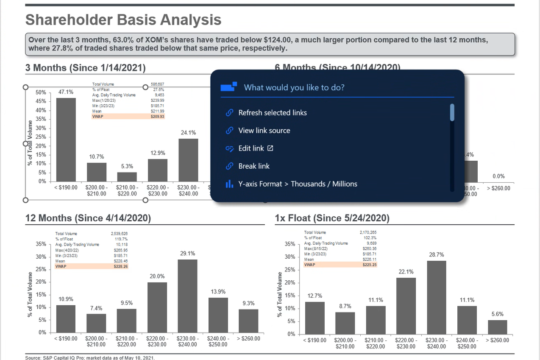
Select charts and immediately surface axis and formatting controls for cleaner slides and fewer clicks.
Portfolio review decks
Quickly align and standardize visuals so slides read tighter with less visual noise, leading to more consistency and happier LPs.
More leverage from junior team members
Associates and analysts produce client-ready slides faster without memorizing PowerPoint menus or Macabacus ribbons.
Fastand Predictable by Design
Omnibar runs locally inside PowerPoint. Searches are responsive, consistent, and secure. Nothing is sent to a third-party LLM or processor.
It doesn’t rely on unpredictable AI models to take a guess at what you’re looking for, and it doesn’t give you a different output for repeated queries.
Because Omnibar surfaces tools rather than taking action itself, it fits naturally into existing workflows, and it doesn’t change how you use PowerPoint. It is simply the fastest way to get to the right command, every time.