How Jump improves in-sheet movement
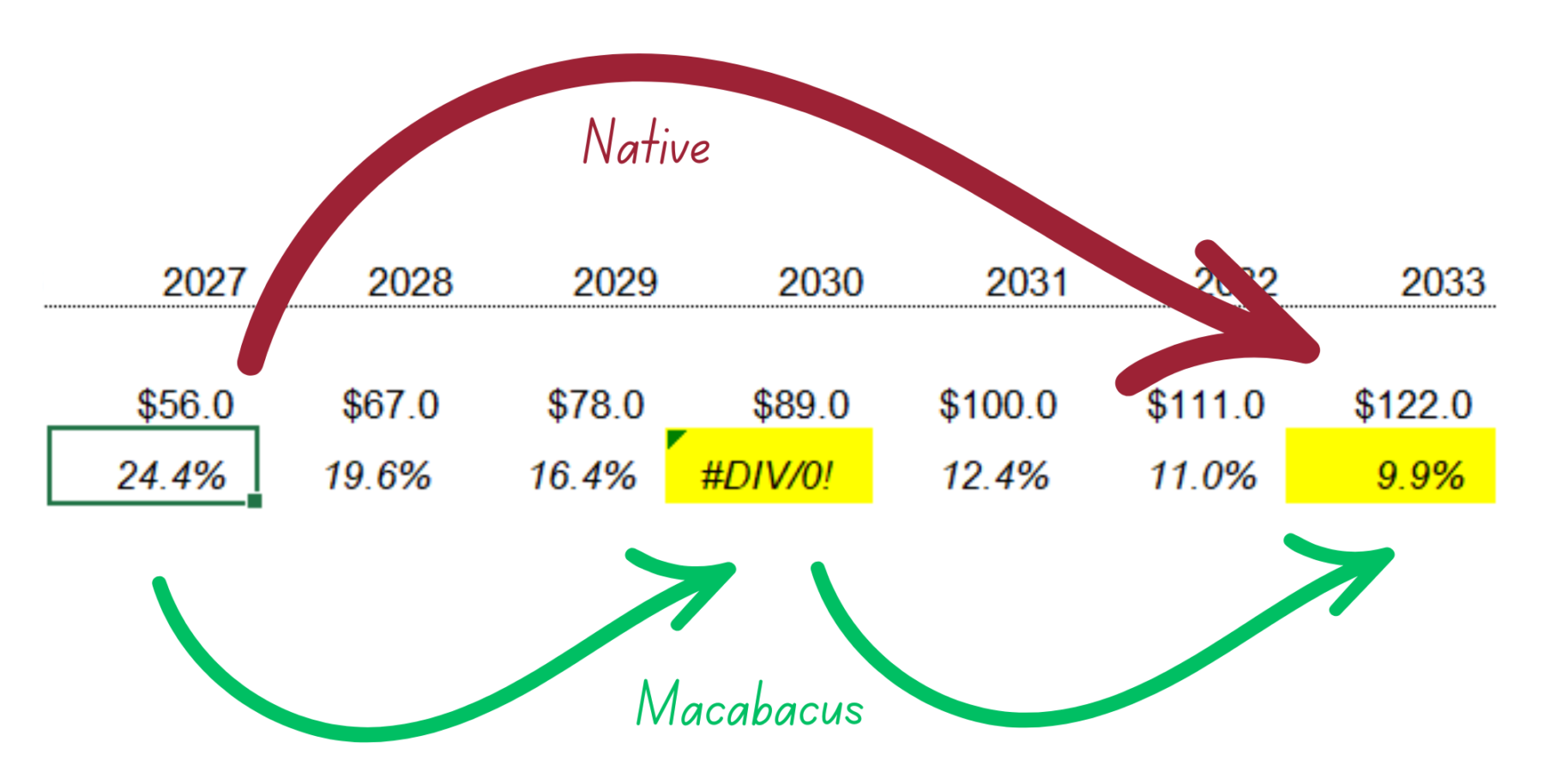
Jump is used within a single worksheet, letting you move through datasets and tables with far more intelligence than Excel’s default behavior. It stops at cells that matter: formula changes, sign flips, outliers, and errors. It also stops cleanly at the boundaries of the sheet’s used range, rather than sending you all the way to the last row or column of the workbook. You stay inside the actual data you’re analyzing, without accidental detours into empty space, and without missing important cells.
Real modeling use cases where Jump saves time
- Operating model review: When scanning revenue and expense build-ups for anomalies or formula inconsistencies, Jump lets you move quickly through each section, stopping automatically at outliers or formula changes you might otherwise miss
- Debt schedule auditing: While validating interest calculations or revolver draws across long horizontal timelines, Jump helps you move through the row without leaping past important shifts in logic or errors buried in the middle
- Three-statement model QA: Jump makes it easy to traverse dense input blocks or formula grids while catching sign changes and unexpected values before they cascade into downstream outputs
Built from deep knowledge of IB/PE modeling
Macabacus builds features for banking and finance professionals who live in Excel 12 hours a day (and shaves hours off that total). Jump reflects the way analysts actually work: scanning for errors, validating formulas, moving through tightly packed datasets, and comparing logic step-by-step. This shortcut comes directly from real user requests and years of understanding how bankers and private equity teams navigate models under time pressure.
Why Jump outperforms Excel’s native Ctrl+Arrow
Excel’s navigation doesn’t understand context. It treats every dataset the same and dumps you at the boundary of blank cells. Jump is purpose-built for financial modeling, adding intelligent logic that identifies important cells along the way and keeps you within the active data region. The difference is immediately noticeable when reviewing long timelines, multi-section inputs, or large assumption grids.
Another example of continuous Macabacus innovation
Jump isn’t a one-off quality-of-life improvement. It’s one of countless feature enhancements we regularly add based on direct feedback from banking and finance professionals. Every release aims to make modeling and presentation building faster and cleaner, removing friction from repetitive tasks so analysts can focus on the work that actually matters.